Showing posts with label Android themes. Show all posts

Friday, November 8, 2013

Axis – GO Apex Nova Theme 2.1.8


Download via Google Play:

Download :


Current Version: 2.1.8
Requires Android: 2.2 and up
Category: Personalization
v2.1.8 update:
v2.1.8 – 11/8/2013
- 40 new icons and activity fixes
- See the new icons here – http://bit.ly/stealthychief218
Overview:

Features

• 900+ HD Icons (many more to come!)
• 6 HD wallpapers with wallpaper chooser
• Multiple launcher support (see below)
• Weekly updates every Friday
• Theme dashboard with several features (Including Request Icons and New Icons)

Supported Launchers

• Nova Launcher
• Apex Launcher
• Action Launcher
• ADW Launcher
• GO Launcher
• Next Launcher 3D (Manual apply only. Jellybean users please email us for a fix.)
• TSF Shell
• Holo Launcher
• Unicorn (Icon Themer)
• Desktop Visualizer
• May work with other launchers and applications but this is not guaranteed.

Theme Details

Axis is a launcher theme that features a beautiful mix of minimal, flat, and vintage styles. Each icon has been handcrafted to ensure the highest level of detail and complete uniformity within the pack. All icons included are in full HD resolution of 144 x 144 pixels. To apply the icons you’ll need one of the supported launchers that are listed above.

Support

Please email us if you have any questions regarding this theme and we’ll be happy to help! For icon requests, please use the Request Icons feature available within the Axis application. Feel free to contact us on any of the social outlets listed below as well!
Google + : http://plus.google.com/u/0/105194414710791941012/posts
Twitter : http://www.twitter.com/Stealthychief
Facebook : http://www.facebook.com/Stealthychief
Website : http://www.stealthychief.com
#Nova.theme
Read more...

STEALTH – Go Apex Nova Theme 2.1.8


Download via Google Play:

Download :
 
 
Current Version: 2.1.8
Requires Android: 2.2 and up
Category: Personalization
v2.1.8 update:
v2.1.8 – 11/8/2013
- 40 new icons and activity fixes
- See the new icons here – http://bit.ly/stealthychief218
- All icons have been polished with alignment fixes and some design tweaks
Overview:

Features

• 875+ HD Icons (many more to come!)
• 5 HD wallpapers with wallpaper chooser
• Multiple Launcher support (see below)
• Icon mask is used for unthemed icons
• Weekly updates every Friday
• Theme dashboard with several features (Including Request Icons and New Icons)

Supported Launchers

• Nova Launcher
• Apex Launcher
• Action Launcher
• ADW Launcher
• GO Launcher (Please read GO Launcher section below)
• Next Launcher 3D (Manual apply only. Jellybean users please email us for a fix.)
• TSF Shell
• Holo Launcher
• Unicorn (Icon Themer)
• Desktop Visualizer
• May work with other launchers and applications but this is not guaranteed.

GO Launcher Users

GO Launcher does not support the icon mask feature of this icon pack, so icons that are not included will appear distorted. To fix that, open GO Launcher preferences > Visual Settings > Icons > and then uncheck the option of Show Icon Base.

Theme Details

Inspired by the original stock icons, alls Stealth icons were designed to achieve exceptional quality and consistency. Each icon has rich, colorful vivid colors. Perfect for users of dark icons and vivid themes!

Support

Please email us if you have any questions regarding this theme and we’ll be happy to help! For icon requests, please use the Request Icons feature available within the Stealth application. Feel free to contact us on any of the social outlets listed below as well!
Google + : http://plus.google.com/u/0/105194414710791941012/posts
Twitter : http://www.twitter.com/Stealthychief
Facebook : http://www.facebook.com/Stealthychief
Website : http://www.stealthychief.com
#Nova.theme
 
Read more...

Wednesday, October 30, 2013

Kitty Play EX (Theme/wp&more) 1.04


Download via Google Play:

Download :


Current Version: 1.04
Requires Android: 2.2 and up
Category: Personalization
v1.04 update:
1. [NEW] Add more Icon resources, support to create shortcut on home screen
2. [NEW] Support custom your wallpaper with advanced setting
3. [Improve] Redesign Downloads page, more easy to manage your downloads
4. [Fix] Fixed some unstable bugs
Overview:
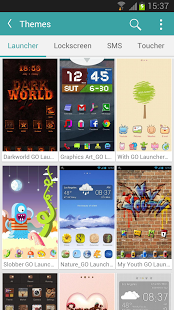
One app to satisfy all your needs for the decoration of your android phones! Here, you may find best free themes, wallpapers, live wallpapers, icons, widgets, fonts, emoticons, ringtones, notifications, etc. Choose Kitty Play means choosing high quality, richness, uniqueness and great fun. Enjoy it!!
Free Features
- A vast number of launcher themes, locker themes, sms themes, weather themes, toucher themes, etc.
- New HD homescreen wallpapers & live wallpapers
- Super cool Icon packs & Theme packs
- Latest most popular Ringtones & Notifications
- Tons of cool emoticons to make your IMs more fun
- Cool fonts to change your android phone from head to toe
Contact
Feel free to contact us if you have any problems or suggestions.
E-mail: servicekittyplay@gmail.com
Use of this app is governed by our Terms of Service: http://thekittyplay.com/terms-of-service.htm and Privacy Policy: http://thekittyplay.com/Privacy-Kitty-Play.htm
Read more...

Monday, October 28, 2013

Kitty Play EX (Theme/wp&more) 1.03


Download via Google Play:

Download :
 
 
Current Version: 1.03
Requires Android: 2.2 and up
Category: Personalization
v1.03 update:
1. [NEW] Add more Icon resources, support to create shortcut on home screen
2. [NEW] Support custom your wallpaper with advanced setting
3. [Improve] Redesign Downloads page, more easy to manage your downloads
4. [Fix] Fixed Ringtones and Notification cannot play online
5. [Fix] Fixed some wallpaper cannot load online issue
Overview:
One app to satisfy all your needs for the decoration of your android phones! Here, you may find best free themes, wallpapers, live wallpapers, icons, widgets, fonts, emoticons, ringtones, notifications, etc. Choose Kitty Play means choosing high quality, richness, uniqueness and great fun. Enjoy it!!
Free Features
- A vast number of launcher themes, locker themes, sms themes, weather themes, toucher themes, etc.
- New HD homescreen wallpapers & live wallpapers
- Super cool Icon packs & Theme packs
- Latest most popular Ringtones & Notifications
- Tons of cool emoticons to make your IMs more fun
- Cool fonts to change your android phone from head to toe
Contact
Feel free to contact us if you have any problems or suggestions.
E-mail: servicekittyplay@gmail.com
Use of this app is governed by our Terms of Service: http://thekittyplay.com/terms-of-service.htm and Privacy Policy: http://thekittyplay.com/Privacy-Kitty-Play.htm
 
Read more...

Pansi SMS -Support iOS 7 Theme 3.1.0


Download via Google Play:

Download :
 
 
Current Version: 3.1.0
Requires Android: 2.1 and up
Category: Communication
v3.1.0 update:
V3.1 Changes:
1. Support ios7 theme.
Support Pro version license key (Pro version license key download link: https://play.google.com/store/apps/details?id=com.pansi.msg.pro.key)
Get More iPhone User experience and android capability apps from more below link
https://play.google.com/store/apps/developer?id=Hi+Dev+Studio
Overview:
Fastest SMS application ever on Android; message box style; scheduled message;user created folders, more functional plugins.
Pansi SMS is a FAST, SIMPLE, COOL and FREE SMS application, which will bring you best text experience on Android.
It is a total enhancement for stock messaging application, with more cool features, beautiful UI and much faster.
=====FEATURES=====
- Full SMS/MMS support
- Support Inbox style as well as conversation style
- Scheduled SMS, you can use it even as your life reminders
- SMS Popup with quick reply
- Save the SMS content as a calendar content
- SMS backup to SD card and restore
- Signature for outgoing SMS
- Quick text, also support user defined quick text
- Beautiful widgets on desktop
- Support Emoji with Emoji plugin
- Support multi-language, including English, Traditional Chinese, Russian, Spanish, Korean, Greek ,Italian, Japanese, French, German, Swedish, Hungarian; get more language packages in market.
- Many cool themes, which can change backgrounds and other elements of the application
- Powerful customization for notifications, appearance and more
- Better group text SMS experience
- Unread message filter
- Support Samsung Galaxy S4 and HTC One
- Support 1080P Resolution
- Support iPhone 5/iPhone 5S iOS 7 Theme
Tag: Fast, Schedule SMS, Many Theme, iOS 7 theme, iOS 7, iOS7
================
If you like Pansi SMS, please rate 5 star on the market to encourage us, and also please help to recommend Pansi SMS to your friends, Thanks.
Any feature requests or bug reports, please send email to pansi.msg@gmail.com.
Bad rating won’t help us to improve the product, and we can’t contact you for more information. We are always listening to and working hard for our users.
If you are tired with the complex and sluggish experience with some other SMS application, then you definitely should try Pansi.
Many users’ feedback: Best SMS app ever, have tried Handcent, Go SMS and ChompSMS, so far so good with Pansi and it’s fast, easy and must have.
By now, the Pansi SMS doesn’t have the messenger functions such as whatsapp, PingChat, Kik messenger and KakaoTalk provided. And also doesn’t have the free texting such as textPlus, Heywire and Textfree provided.
STAY UP-TO-DATE ON FACEBOOK & TWITTER
Facebook: http://www.facebook.com/pansimsg
Twitter: http://twitter.com/pansimsg
 
Read more...

Sunday, October 20, 2013

Solo Launcher (Best Themes) 1.3.7


Download via Google Play:

Download :
 
 
Current Version: 1.3.7
Requires Android: 4.0 and up
Category: Personalization
v1.3.7 update:
1.Added the explanation of App Permissions
2.Fixed the bug that GALAXY Note II was unable to launch
3.Fixed the bug that folder background was unable to change occasionally
4.Fixed the bug that drawer group was missing occasionally
5.Updated some Weather widget UI
6.Updated the Czech translation and Vietnamese translation
7.Updated the “Translation Help” in Solo Setting
Overview:
Solo Launcher Free is one of the fastest Android Launcher for your Android Devices! Your best choice!
It is a fast, stable, highly customizable home launcher application which helps you create a fascinating customized home screen experience on your Android device. Get it now!
★ ★ ★ It’s totally a FREE App! ★ ★ ★
★ ★ ★ More than 300 personalized settings ★ ★ ★
★ ★ ★ Faster and smoother than other Launchers ★ ★ ★
★ ★ ★ With more than 1000 themes, live wallpapers, lockscreens and fonts for FREE ★ ★ ★
FEATURES:
- Free Unread Mail Count, never miss out your unread emails
- Gestures, quick start actions and apps or widgets
- Unlimited Custom Groups in drawer, keep apps in order
- Customized widgets for weather, quick check today’s weather
- Clock weather, battery saver and task manager widgets, better manage your settings
- Compatible with themes of GO Launcher EX, Nova, ADW, Apex and even buzz launcher and dodol launcher.
HIGHLIGHTS:
1. Complete customization: more than 258 personalized settings
2. Completely FREE/Ad-free (other launchers may cost you $4-5)
3. Unread message count: SMS, telephone, mail (Nova, Holo and Apex need payment)
4. 9 kinds of complex gestures: combination of single finger, double fingers, sliding, rotation, etc.
5. The drawer groups: organize apps into tabs and folders in the app drawer
6. Customized handy clock weather (global) and one-click memory booster widgets
7. Faster and smoother than Next, Holo, Apex, Holo and Go launcher
8. The interface is simple, light, which has more personality
9. Fresh and fabulous themes and wallpapers for you to choose
10. Hiding Apps to protect your privacy
11. Free widgets of weather clock, battery saver and cleaner
12. Google Services are supported perfectly
Specs:
Compatible with Android 4.0+ ONLY!
 
Read more...

Saturday, October 19, 2013

VIPER – Go Apex Nova theme 2.1.5


Download via Google Play:

Download :
 
Current Version: 2.1.5
Requires Android: 2.2 and up
Category: Personalization
v2.1.5 update:
v2.1.5 – 10/18/2013
- 20 new icons and activity fixes
- See the new icons here – http://bit.ly/stealthychief215
Overview:

Features

• 800+ HD Icons (many more to come!)
• 7 HD wallpapers with wallpaper chooser
• Multiple launcher support (see below)
• Theme dashboard with several features (Including Request Icons and New Icons)
• Weekly updates every Friday

Supported Launchers

 
• Nova Launcher
• Apex Launcher
• Action Launcher
• ADW Launcher
• GO Launcher
• Next Launcher 3D (Manual apply only. Jellybean users please email us for a fix.)
• TSF Shell
• Holo Launcher
• Unicorn (Icon Themer)
• Desktop Visualizer
• May work with other launchers and applications but this is not guaranteed.

Theme Details

Inspired by the original stock icons, each Viper icon was designed from scratch to achieve exceptional quality and consistency. Each icon has rich, colorful vivid colors to ensure all icons work well with a variety of wallpapers.

Support

Please email us if you have any questions regarding this theme and we’ll be happy to help! For icon requests, please use the Request Icons feature available within the Viper application. Feel free to contact us on any of the social outlets listed below as well!
Google + : http://plus.google.com/u/0/105194414710791941012/posts
Twitter : http://www.twitter.com/Stealthychief
Facebook : http://www.facebook.com/Stealthychief
Website : http://www.stealthychief.com
#Nova.theme
 
Read more...

STEALTH – Go Apex Nova Theme 2.1.5


Download via Google Play:

Download :
 
 
Current Version: 2.1.5
Requires Android: 2.2 and up
Category: Personalization
v2.1.5 update:
v2.1.5 – 10/18/2013
- 20 new icons and activity fixes
- See the new icons here – http://bit.ly/stealthychief215
Overview:

Features

• 800+ HD Icons (many more to come!)
• 5 HD wallpapers with wallpaper chooser
• Multiple Launcher support (see below)
• Icon mask is used for unthemed icons
• Weekly updates every Friday
• Theme dashboard with several features (Including Request Icons and New Icons)

Supported Launchers

• Nova Launcher
• Apex Launcher
• Action Launcher
• ADW Launcher
• GO Launcher (Please read GO Launcher section below)
• Next Launcher 3D (Manual apply only. Jellybean users please email us for a fix.)
• TSF Shell
• Holo Launcher
• Unicorn (Icon Themer)
• Desktop Visualizer
• May work with other launchers and applications but this is not guaranteed.

GO Launcher Users

GO Launcher does not support the icon mask feature of this icon pack, so icons that are not included will appear distorted. To fix that, open GO Launcher preferences > Visual Settings > Icons > and then uncheck the option of Show Icon Base.

Theme Details

Inspired by the original stock icons, alls Stealth icons were designed to achieve exceptional quality and consistency. Each icon has rich, colorful vivid colors. Perfect for users of dark icons and vivid themes!

Support

Please email us if you have any questions regarding this theme and we’ll be happy to help! For icon requests, please use the Request Icons feature available within the Stealth application. Feel free to contact us on any of the social outlets listed below as well!
Google + : http://plus.google.com/u/0/105194414710791941012/posts
Twitter : http://www.twitter.com/Stealthychief
Facebook : http://www.facebook.com/Stealthychief
Website : http://www.stealthychief.com
#Nova.theme
 
Read more...

Axis – GO Apex Nova Theme 2.1.5


Download via Google Play:

Download :
 
Current Version: 2.1.5
Requires Android: 2.2 and up
Category: Personalization
v2.1.5 update:
v2.1.5 – 10/18/2013
- 20 new icons and activity fixes
- See the new icons here – http://bit.ly/stealthychief215
Overview:

Features

• 800+ HD Icons (many more to come!)
• 6 HD wallpapers with wallpaper chooser
• Multiple launcher support (see below)
• Weekly updates every Friday
• Theme dashboard with several features (Including Request Icons and New Icons)

Supported Launchers

• Nova Launcher
• Apex Launcher
• Action Launcher
• ADW Launcher
• GO Launcher
• Next Launcher 3D (Manual apply only. Jellybean users please email us for a fix.)
• TSF Shell
• Holo Launcher
• Unicorn (Icon Themer)
• Desktop Visualizer
• May work with other launchers and applications but this is not guaranteed.

Theme Details

Axis is a launcher theme that features a beautiful mix of minimal, flat, and vintage styles. Each icon has been handcrafted to ensure the highest level of detail and complete uniformity within the pack. All icons included are in full HD resolution of 144 x 144 pixels. To apply the icons you’ll need one of the supported launchers that are listed above.

Support

Please email us if you have any questions regarding this theme and we’ll be happy to help! For icon requests, please use the Request Icons feature available within the Axis application. Feel free to contact us on any of the social outlets listed below as well!
Google + : http://plus.google.com/u/0/105194414710791941012/posts
Twitter : http://www.twitter.com/Stealthychief
Facebook : http://www.facebook.com/Stealthychief
Website : http://www.stealthychief.com
#Nova.theme
 
Read more...

Sunday, October 6, 2013

MIUI X5 HD Apex/Nova/ADW Theme 2.4.1


Download :
 
Current Version: 2.4.1
Requires Android: 2.2 and up
Category: Personalization
v2.4.1 update:
Version 2.4.0
- BIG ACTIVITY FIX UPDATE
- 350 Actvity Namen gefixt
- 122 NEW Icons
- 26 Icon UPDATES
- big thanks goes to Daniel Czarnomorski
Overview:
>>>>>>>>> DESCRIPTION <<<<<<<<<<<
MIUI X5 HD Theme for Apex Launcher, Nova Launcher, ADW Launcher, Holo Launcher, Go Launcher, Atom Launcher and many other Launcher.
We presenting you the most compatible Multi Launcher Theme in the Play Store. Based on the new Icon style of Miui V5 we offer you more than 2300 ICONS for the most known Launcher. This time all Icons come in HD quality, which guarantee an impressive look on all devices. Moreover, we created some special design elements for Apex and Go Launcher.
A big thanks goes to PhysX, zipalign and the Miui Community at XDA and EN Miui Forum.
>>>>>>>>> FEATURES <<<<<<<<<<<
+ over 2300 REAL Icons ( Version 2.4.0 )
+ HD Icons for XHDPI Devices
+ Special Design Elements for Go/Apex Launcher
+ New App Drawer Design (Go Launcher)
+ 4 cool Wallpapers
+ Nova Launcher compatible
+ Apex Launcher compatible
+ Holo Launcher compatible
+ ADW Launcher compatible
+ Atom Launcher compatible
+ Smart Launcher compatible
+ Solo Launcher compatible
+ Action Launcher Pro compatible
+ Go Launcher compatible (User with problems, please send me an Email)
>>>>>>>>> INSTRUCTION <<<<<<<<<<<
1. click in the Play Store on download and install the Theme
2. click on the Theme Icon in your Launcher and scroll to the bottom
3. here you will find an instruction for every Launcher
>>>>>>>>> USER SUPPORT <<<<<<<<<<<
All Icons, Pictures and many more on
http://www.miuiappthemes.com
:)
Keywords: Apex Launcher, Nova Launcher, GoLauncher Ex, Smart Launcher, Smart Launcher Pro, Go Launcher ExAtom Launcher, ADW Launcher Ex, Holo Launcher, Theme, Miui,Miui 5, Miui V5, Icon Pack, Miro Ex, Zipalign, V5_extended, GSL Theme, Solo Launcher, GT Launcher, Action Launcher, Action Launcher Pro,
 
Read more...

Saturday, October 5, 2013

MIUI v5 GO/Nova/Holo/ADW Theme 1.5


Download :
 
Current Version: 1.5
Requires Android: 2.2 and up
Category: Personalization
v1.5 update:
<b>V1.5</b>
[NEW] 50 icons
[NEW] icons alphabetized
[NEW] Android 4.3 now supported
[NEW] Donate version available
<b>V1.3</b>
[NEW] 100 icons
[FIX] Google Reader, GBooks, Hangouts and Videos icons
<b>V1.2.5</b>
[NEW] 20 icons
[NEW] appdrawer icon
[NEW] original MIUI v5 font
[FIX] Problem with Apex Launcher (some parts of the theme were from a different theme)
<b>V1.2.2</b>
[NEW] 40 icons
<b>V1.2.1</b>
[NEW] 50 icons
Overview:
****
I spend a lot of time in this project, I would appreciate it if You buy the donate version.
This is a launcher theme for GO / Nova / ADW / Apex / Atom / Holo Launcher and more! It change the graphics and add high definition icons for many popular launcher replacements! The icons are rendered for high density Android devices (136×136) to give you increased clarity.
Features
▪ Over 420 icons!
▪ Original MIUI v5 font included!
▪ Original MIUI v5 wallpapers included
▪ 5 custom backgrounds for every icon that isn’t included yet
▪ App drawer adapted
▪ MIUI v5 folder design included
▪ Various launchers are supported!
Todo list▪ new appdrawer icon
▪ support appdrawer icon for all launchers (at the moment only supported in Go Launcher Ex)
▪ support wallpaper for all launchers (at the moment only supported in Go Launcher Ex)
▪ include donation button
▪ Fix folder background
▪ Rework GO Launcher elements

Notes
★ More icons are due to be added to the iconpack over time. Do you see missing icons in your app drawer? Please send us an E-Mail!
★ The theme will be updated every sunday!
★ Icons may also work with mxHome, Launch-X, Crazy Home Lite, dxTop Lite, Open Home paid, Open Home free, VTL Launcher, Circle Launcher Paid, Nemus Launcher, Launcher Pro, Next Launcher and more!
★ If you are having trouble -EMAIL US! Seriously, send us an email and help us to help you.

DESIGNED FOR XHDPI. YOUR RESULTS MAY VARY WITH OTHER SCREEN RESOLUTIONS
Credits
★ DCStudi0 for the template
★ MIUI Android v5 Miro Icons Expansion at xda-developers.com

Tags
iconpack, go skins, golaunchertheme, golauncherextheme, gowidget, ADWLauncher EX, ADW Themes, ADWThemes, ADW.Theme, ADW.Launcher, Launcher Pro, Home Replacement, nova theme, icon theme, icon pack, iconpack, MIUI, MIUI 5, MIUI v5, MiroEx Project, MiroEx

To apply the theme go to your launcher settings and:
Nova Launcher: (only icons are supported)
Nova Settings > Look and feel > Icon Theme > MIUI v5 Theme

Apex Launcher:
Apex settings > Theme settings > MIUI v5 > Apply

Go Launcher EX:
Themes > Installed > MIUI v5 > Apply

ADW Launcher:
ADW Settings > Themes > MIUI v5 Theme > Apply

Holo Launcher:
Appearance Settings >Icon pack > MIUI v5 Theme

Atom Launcher:
Launcher settings > Theme > MIUI v5 Theme > Use Theme

 
Read more...

Friday, October 4, 2013

Axis – GO Apex Nova Theme 2.1.3


Download :
 
 
Current Version: 2.1.3
Requires Android: 2.2 and up
Category: Personalization
v2.1.3 update:
v2.1.3 – 10/4/2013
- 15 new icons and activity fixes
- See the new icons here – http://bit.ly/stealthychief213
Overview:

Features

• 775+ HD Icons (many more to come!)
• 6 HD wallpapers with wallpaper chooser
• Multiple launcher support (see below)
• Weekly updates every Friday
• Theme dashboard with several features (Including Request Icons and New Icons)

Supported Launchers

• Nova Launcher
• Apex Launcher
• Action Launcher
• ADW Launcher
• GO Launcher
• Next Launcher 3D (Manual apply only. Jellybean users please email us for a fix.)
• TSF Shell
• Holo Launcher
• Unicorn (Icon Themer)
• Desktop Visualizer
• May work with other launchers and applications but this is not guaranteed.

Theme Details

Axis is a launcher theme that features a beautiful mix of minimal, flat, and vintage styles. Each icon has been handcrafted to ensure the highest level of detail and complete uniformity within the pack. All icons included are in full HD resolution of 144 x 144 pixels. To apply the icons you’ll need one of the supported launchers that are listed above.

Support

Please email us if you have any questions regarding this theme and we’ll be happy to help! For icon requests, please use the Request Icons feature available within the Axis application. Feel free to contact us on any of the social outlets listed below as well!
Google + : http://plus.google.com/u/0/105194414710791941012/posts
Twitter : http://www.twitter.com/Stealthychief
Facebook : http://www.facebook.com/Stealthychief
Website : http://www.stealthychief.com
#Nova.theme
 
Read more...

Tuesday, October 1, 2013

CM10/CM10.2 Transparent Theme 5.4


Download :
 
Current Version: 5.4
Requires Android: 4.0.3 and up
Category: Personalization
v5.4 update:
-If you like, add me on google plus: http://goo.gl/XkmWse
-5.4: fixed a problem that affected lux app users
added transparent lux (free and paid)
-1000 downloads reached, thank you all, it’s amazing!!
-Published 5 colored versions of this theme: Gold, Green, Orange, Purple and Red (with 50% launch sale on days 28/9, 29/9 and 30/9). You can find them in my apps list here: http://goo.gl/cHKeFM
Overview:
IMPORTANT: read full description before purchasing or leaving a bad review. If there are problems, instead of leaving a bad review, send me a mail and I will do my best for fixing them. I can help you with a mail, not with comment. If you like the theme, rate it!
[This theme requires a ROM with Theme Engine (like Cyanogenmod and AOKP)]
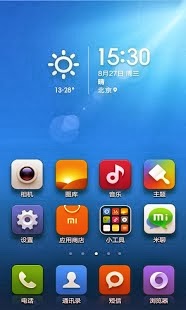
NOTE: this theme is available in five different colored versions: Gold, Green, Orange, Purple and Red (you can find them in my apps list here: http://goo.gl/cHKeFM).
Like a glass!! This is Transparent CM theme for CM9, CM10, CM10.1, CM10.2 (Cyanogenmod), AOKP and other custom roms. Many apps and widgets of your rom will become transparent! I started developing this theme because I like very much the holo interface and the transparency too. I suggest to try this theme also with live wallpapers.The apk size is very small because most of the work is done with xml files. This is actually my main project (you can see the changelog below).
Many other screenshots can be found here: http://goo.gl/ay7vK
More screens will be added after new updates of the theme!
WHAT IS TRANSPARENT:
-apps that depend from Theme.Holo of framework (like various menus,settings,downloads,some stock browser’s parts,dsp manager,torch and much other)
-apps that depend from Theme of framework (like sim toolkit, goomanager and much other)
-apps that depend from Theme.Black of framework
-action launcher pro quickdrawer (holo)
-apollo (only cm10.1/cm10.2 version)+widget
-calculator+widget
-calendar
-camera settings
-clock app
-CM filemanager (dark theme)
-contacts app
-cpu-z
-dialer app
-email widget
-google gesture search
-google now
-google playstore
-google play games
-google play music (only widget)
-google settings
-greenify
-lux (free and paid)
-keyboard
-pie controls
-quicksettings tiles
-quicksettings widget
-messagging app+widget
-movie studio
-news & weather widget
-notification background
-notification drawer 50% transparent (cm10.1/cm10.2)
-offline dictionaries free and pro (dark mode)
-omich player+widget
-panels, dialogs and popups (both dark and lights)
-seeder
-some launchers settings (like nova and apex)
-swype (classic theme)
-tablet-ui (for roms that support it)
-tesla unread plugin
-theme chooser
-torch app+widget
NEXT UPDATES:
-more apps and fixes!!
If you want other apps transparent, send me a mail and i will do my best!
COMPATIBILITY:
-Transparent theme actually is compatible with XHDPI,HDPI,MDPI,LDPI devices (should be compatible with all devices and tablets)
(As I own only a device, send me a mail if there are problems)
If you are interested in the changelog, you can see it here: http://goo.gl/iq1hW
INSTRUCTIONS:
-Apply theme in theme chooser and reboot.
-If it says “Sorry this theme is missing assets for your device” apply anyway and reboot.
-if it says “This theme is incorrectly compiled” apply default theme,reboot,apply TransparentCM, reboot.
(if you see a black image instead of preview image in theme chooser, don’t worry and apply the theme :) )
NB: The wallpaper that i use in the screenshots is not included in Transparent theme! Choose your favourite wallpaper and it will become the background of the apps listed above!
For questions, problems and requests, send me a e-mail.
(If the app is not available in your country, please e-mail me)
If you like, add/follow me on Google Plus: http://goo.gl/XkmWse
Enjoy Transparent Theme!
 
Read more...

Goolors icons GO/Apex/Nova/ADW 2.5.8


Download :
 
Current Version: 2.5.8
Requires Android: 2.1 and up
Category: Personalization
v2.5.8 update:
<h4>2.5.8</h4>
<b>✔Added icons:</b>
AudioManager, AutomateIt, AutomateIt Pro, Basketball Shoot, Booking.com, Buffer, DB Navigator, Engadget, Epocrates, Expense Manager, EyeEm – Photo Filter Camera, Filmweb, Filmweb.no, Focal, Foxit Mobile PDF, GitHub, Goodreads…
<b>✔Redesigned icons:</b>
Yahoo! Fantasy Baseball, Yahoo! Fantasy Basketball, Yahoo! Fantasy Sports Football
<b>✔Fixed icons:</b>
Root Browser, RunKeeper, Shazam, Trickster MOD Kernel Settings
More here: http://goo.gl/Y8lJt
Overview:
Which will result from ’google + colors’?
This is simple ’= GOOLORS’

PLEASE READ BEFORE BUYING!

Theme compatible with:
- Apex Launcher
- Go Launcher
Icons compatible with:
- ADW Launcher
- Nova Launcher
- Action Launcher
- Holo Launcher
- Apex Launcher
- Go Launcher

Icon pack contains 1010+ icons and more.

- 18 Wallpapers available
✔ Frequent update with new icons!
More about Goolors icon pack here: http://goo.gl/Y8lJt
This is not a standalone app, for use it you need a launcher such as Apex, Nova, ADW that allow custom themes.
—
✔ INSTALATION:
- Action Launcher:
Settings > Display > Icon pack > Goolors
-ADW Launcher:
ADW Settings > Themes > Goolors theme > Apply
-Apex Launcher:
Apex settings > Theme settings > Goolors > Apply
-Go Launcher EX:
Themes > Installed > Goolors > Apply
-Nova Launcher:
Nova Settings > Look and feel > Icon Theme > Goolors theme
-Holo Launcher:
Appearance Settings > Icon pack > Goolors
—
✔ Give me 5 if you like it ★★★★★
Thanks for buying DroidScreens!
 
Read more...

Sunday, September 29, 2013

MMII FLAT Apex Nova ADW Theme 1.1.1


Download :
 
Current Version: 1.1.1
Requires Android: 2.2 and up
Category: Personalization
v1.1.1 update:
If some of the icons are not properly themed, please send me an email so I can fix it.
1.1.1:
- Black Edition Preview icons. Read the description for more info.
- 99 new icons, see Newly Added section inside the app
- older icons refurbished
Overview:
BLACK EDITION COMING SOON AS A STANDALONE APP.
THE BLACK ICONS ARE JUST A PREVIEW AND WILL BE REMOVED WHEN THE BLACK EDITION APP IS RELEASED. http://bit.ly/1dPpC8D
Please RATE the app if you like it, thanks!
This is an icon theme for popular Android launchers with currently over 620 HD icons (144×144 and 72×72 each, so they look smooth on all screen resolutions) and 4 Wallpapers (more icons will come when there are requests).
Supported launchers are Apex Launcher, Nova Launcher, ADW Launcher and Action Launcher Pro.
It should also work with Holo Launcher, GO Launcher, ssLauncher and others (not guaranteed).
YOU NEED ONE OF THOSE LAUNCHERS INSTALLED TO APPLY THE ICONS.
For REQUESTS please use this form (if the form does not work, send me an email instead; testing some data validation): https://docs.google.com/forms/d/1qWNHygEe0maK4NPv0PiFigR0dODpK4Xcryrwp8Xvi4s/viewform
All other requests will be ignored from now on.
If you have questions/ideas or found bugs please email me at stalker018.android@gmail.com.
Tags: apex, nova, action launcher pro, action, theme, icon, icons, holo, go launcher, icon pack, icon theme, go, hd, mmii, flat, stalker018
 
Read more...

Friday, September 27, 2013

Solo Launcher (Best Themes) 1.3.2


 Current Version: 1.3.2
Requires Android: 4.0 and up
Category: Personalization
v1.3.2 update:
1.Added Weather Settings for temperature unit,update interval,time format
2.Fixed the bug that drawer’s apps could’t refresh in time
3.Fixed the bug that Weather Widget crashes occasionally
4.Reduced apk’s size
5.Updated text and icons
6.Fixed other bugs and improved the stability
Overview:
Solo Launcher Free is one of the fastest Android Launcher for your Android Devices! Your best choice!
It is a fast, stable, highly customizable home launcher application which helps you create a fascinating customized home screen experience on your Android device. Get it now!
★ ★ ★ It’s totally a FREE App! ★ ★ ★
★ ★ ★ More than 300 personalized settings ★ ★ ★
★ ★ ★ Faster and smoother than other Launchers ★ ★ ★
★ ★ ★ With more than 1000 themes, live wallpapers, lockscreens and fonts for FREE ★ ★ ★
FEATURES:
- Free Unread Mail Count, never miss out your unread emails
- Gestures, quick start actions and apps or widgets
- Unlimited Custom Groups in drawer, keep apps in order
- Customized widgets for weather, quick check today’s weather
- Clock weather, battery saver and task manager widgets, better manage your settings
- Compatible with themes of GO Launcher EX, Nova, ADW, Apex and even buzz launcher and dodol launcher.
HIGHLIGHTS:
1. Complete customization: more than 258 personalized settings
2. Completely FREE/Ad-free (other launchers may cost you $4-5)
3. Unread message count: SMS, telephone, mail (Nova, Holo and Apex need payment)
4. 9 kinds of complex gestures: combination of single finger, double fingers, sliding, rotation, etc.
5. The drawer groups: organize apps into tabs and folders in the app drawer
6. Customized handy clock weather (global) and one-click memory booster widgets
7. Faster and smoother than Next, Holo, Apex, Holo and Go launcher
8. The interface is simple, light, which has more personality
9. Fresh and fabulous themes and wallpapers for you to choose
10. Hiding Apps to protect your privacy
11. Free widgets of weather clock, battery saver and cleaner
12. Google Services are supported perfectly
Specs:
Compatible with Android 4.0+ ONLY!
Read more...

SF Launcher Beta 0.4.4


Current Version: 0.4.4
Requires Android: 4.0 and up
Category: Personalization
v0.4.4 update:
New in 0.4.4:
Highlights on apps when pressed is now cleaner
Removed lower limit on label text size
0.4.x:
New option for all users to use custom header actions (long press on an app>More…>Set as Action…)
New option for Plus users to hide apps.
Moved settings to new activity (access it from the app list or long pressing a widget, favorite, or app)
Lock widget long press
Rearrange widgets
If you want early access to new updates, request join the G+ community at http://alamoapps.net/sftester
Overview:
This is a beta of an alternate homescreen that is designed to be simplistic, yet beautiful and customizable.
As it is beta, it is still somewhat buggy and there are many more features that I would like to add in the future.
The top section of the launcher is a header with the time, date, and a graphic of a the San Francisco skyline from Google Now. This image changes based on the time of day. You can configure at what times the images change from header settings. There are now eleven headers available along with configurable tap and long press options for the clock and the header image. You can also shrink the height of this header.
As of 0.4, you can now use your system wallpaper as the header. Just check “Use Wallpaper As Header” under Header and Themes in settings (this will uncheck Use Header As Wallpaper if you currently have it enabled). You will be prompted if you want to set your system wallpaper or leave it as is.
Below this is the widgets section. Tap on the card labeled “Add…” to add a new widget card. Swipe in this area to switch widget cards. Long press on a widget and select “Remove Widget” in the popup that appears to remove it. Eventually, you will be able to rearrange widgets. From widget settings, you can adjust the height of the panel.
Below this is the favorites section. This will be empty at first, but you can add favorites by long-pressing on apps in the all apps list. You can remove favorites by long-pressing and selecting “Remove favorite.” You can also change icon size and number of columns. SF Launcher Plus users can also select an icon pack (best with ADW packs). To rearrange them, long press on one and select “Rearrange favorites.” This will open a new page where you can drag and drop to rearrange. I would eventually like to integrate this better.
Swipe right from the favorites section to access the list of all apps. From this page, you can long press on an app and select “Add favorite” to add it to your favorites. You can also long press and select the option to uninstall the app.
As of 0.4, landscape will work, although the app is still not perfectly optimized for tablets.
You can set a light or dark theme for the app. You can also set the theme to auto, which will cause it to change to light while showing the dawn and day images (default is 6 AM to 6 PM, although this can be changed) and change to dark while showing the dusk and night images. If you set a tap or long press action to toggle the theme, it will override the automatic theme.
From Header and Themes settings you can also disable the status bar and select to use the current header image as your system wallpaper.
If you want to try SF Launcher, but would prefer to use another launcher as your default, it is accessible from the apps list of other launchers.
If SF Launcher had been restarting frequently prior to 0.3, that update should fix most problems. If you are still having issues with restarts, and you are rooted, convert SF Launcher to a system app and it should be persistent.
If you like SF Launcher, you can now get SF Launcher Plus (https://play.google.com/store/apps/details?id=net.alamoapps.launcher.plus) for $1.99. It currently only adds custom icon packs, although more plus features will be added soon. There is also a link to it available on the settings panel for easy access. Not all icon themes will work, but most ADW-compatible themes will work as of 0.2.6
Known Issues:
-Long press on the widgets is finicky, and sometimes triggers at the wrong time. You can lock the widgets to prevent this if you aren’t editing them
-When expanding the panels while the status bar is hidden, the status bar will unhide (required by the system). It won’t disappear again until you interact with the app in some way. I’m looking for a more elegant solution.
Read more...

MiHome Launcher 2.12.0


Current Version: 2.12.0
Requires Android: 2.3 and up
Category: Personalization
v2.12.0 update:
Highlights
- Added dynamic weather wallpaper. Use it by applyingthe default wallpaper.
- Added a weather & clock widget.
- Added weather forecast function. Press the weather &clock widget to check the weather of the next five days.
(To use the dynamic weather wallpaper, you shoulduse Android 4.0 or a newer version)
Optimization – Layout of folders on large screenphones
Fix – Sometimes the folder icon disappears
Fix – Sometimes it asks you to download a themeafter you’ve already downloaded it
Overview:
MiHome can be utilized in all Android devices. It transforms any Android device into what a Xiaomi phone would be – beautiful and easy to use, which is what defines Xiaomi’s MIUI operating system. The MiHome established nearly 3 years ago has been based upon a simple interface, continuous enhancements and our millions of user experience. You can now try it for free!
Key features:
- Fast and stable: Let’s your phone run as efficiently as possible.
- Simple and easy to use: The desktop grid-like layout makes it easy to manage your apps
- Sleek and beautiful design: HD custom icons, variety of lockscreens and a MiSpace feature that is unlike any other user interface.
- Personalized themes: Choose from thousands of free themes, wallpapers, ringtones created from top designers.
- Useful functions: a one click cache clean up key, features that allow you to manage your phone contacts easily and a toggle panel that allows you to efficiently switch on or off commonly used functions.
Read more...

Bar Launcher 1.2.4


Download via Google Play:
  Bar Launcher 1.2.4 on Google Play
Download :
  Download Bar Launcher 1.2.4


Current Version: 1.2.4
Requires Android: 3.0 and up
Category: Personalization
v1.2.4 update:
- Bugfix when app crashes in Add Screen
Overview:
Bar Launcher – launch apps from everywhere!
Bar Launcher lets you launch your apps from the Status Bar.
Just choose the apps you want to have in the Status Bar.
BarLauncher lets you set up to 7 apps on your smartphone, 9 apps on your 7’’ tablet and 11 apps on your 10″ tablet.

Read more...

Mini Launcher 1.22


Download via Google Play:
  Mini Launcher 1.22 on Google Play
Download :
  Download Mini Launcher 1.22


Current Version: 1.22
Requires Android: 4.0 and up
Category: Tools
v1.22 update:
1.(New)Customize APP name and icon
2.(New)Desktop settings
3.(New)Hide Drawer App
4. (Improve)Remove Google Search bar
5.(New)New Theme recommend
6. (Improve)Fix bug
Overview:
Mini Launcher is an original & customized launcher for Android 4.0+(Tablet is unavailable). Looking for best Android experience? Get Mini Launcher now!
Main Features
1. Apply to GO Launcher theme/icon/ widgets which can be used only on GO Launcher EX before
2. Mini sidebar to display current weather info, recent calls & messages, most used switches, recently used apps
3. Scrollable dock to shortcut to your favorite apps, up to 5 rows and 5 icons per row
4. APP name and icon customization to make your phone more personalized
5. Add bulk apps to a folder at once
6. Customize homescreen page
What is coming soon
1. Customize interface
2. Screen scroll effect
3. Gestures and Button
4. More features to be continued…
Permissions
Access Widget Data: This is in order to display the widget and widget’s data to you. The data is not used for anything aside from displaying it.
Wallpaper/Vibrate/Network/Internet/Call_Phone(Just display)
Write_External_Storage/Write_Settings: This is in order to save your customized data.
Read more...